Highlights and notes
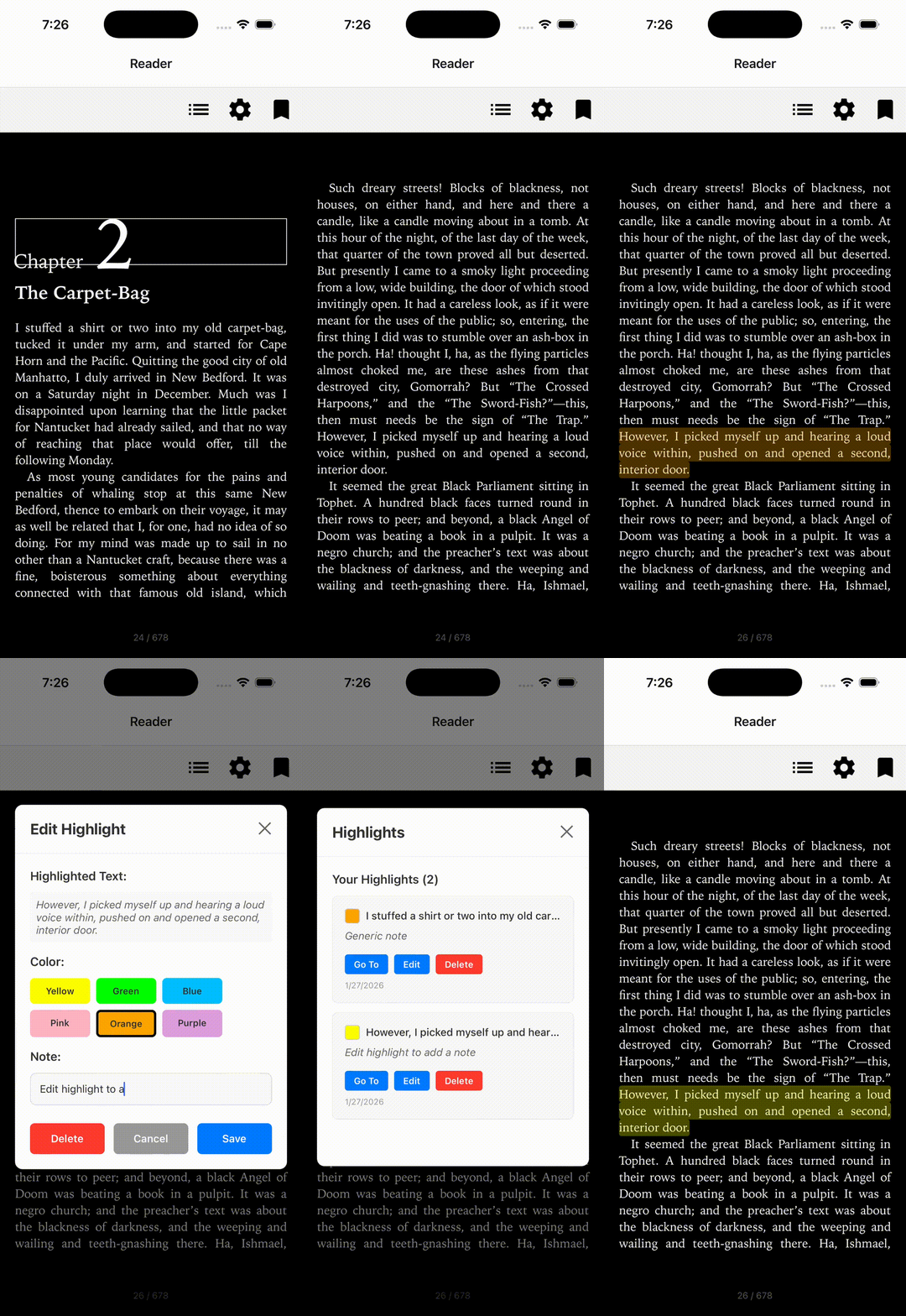
Four props work together:
selectionActionsadds your items to the text-selection menu.onSelectionActiontells you which item the user picked, and what they selected.decorationsrenders highlights from your state.onDecorationActivatedtells you when the user taps one.
import { useCallback, useState } from 'react';
import { ReadiumView } from 'react-native-readium';
import type {
  Decoration,
  DecorationActivatedEvent,
  DecorationGroup,
  ReadiumFile,
  SelectionAction,
  SelectionActionEvent,
} from 'react-native-readium';

const selectionActions: SelectionAction[] = [
  { id: 'highlight', label: 'Highlight' },
];

export function Reader({ file }: { file: ReadiumFile }) {
  const [decorations, setDecorations] = useState<DecorationGroup[]>([
    { name: 'highlights', decorations: [] },
  ]);

  const onSelectionAction = useCallback((event: SelectionActionEvent) => {
    if (event.actionId !== 'highlight') return;
    const highlight: Decoration = {
      id: `highlight-${Date.now()}`,
      locator: event.locator,
      style: { type: 'highlight', tint: '#FFFF00' },
      extras: { note: '', selectedText: event.selectedText },
    };
    setDecorations((groups) =>
      groups.map((group) =>
        group.name === 'highlights'
          ? { ...group, decorations: [...group.decorations, highlight] }
          : group
      )
    );
  }, []);

  const onDecorationActivated = useCallback(
    ({ decoration }: DecorationActivatedEvent) => {
      // e.g. open an editor for decoration.extras?.note
    },
    []
  );

  return (
    <ReadiumView
      file={file}
      decorations={decorations}
      selectionActions={selectionActions}
      onSelectionAction={onSelectionAction}
      onDecorationActivated={onDecorationActivated}
    />
  );
}
Concepts
DecorationGroup | A named set of decorations, such as "highlights" or "underlines". decorations takes an array of groups. |
Decoration | One annotation: a Locator for where it is, and a style (type: 'highlight' or 'underline', with a tint). |
extras | A Record<string, string> on each decoration, for your own data: a note, a timestamp, the selected text. |
onSelectionChange | Fires as the user adjusts a selection, for a live preview. |
Decorations live in your state: persist them however you like, and pass them back in when the book reopens.
On Android, Readium disables text selection in protected publications, so LCP books can't be highlighted there.
The example app adds color picking, note editing and highlight management.